
Latest Version
April 13, 2024
Sparkle Games Studio
Simulation
Android
0
com.gss.paint.asmr.coloring.game.paintgame.colorgame
Report a Problem
More About :game
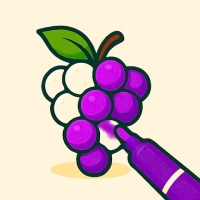
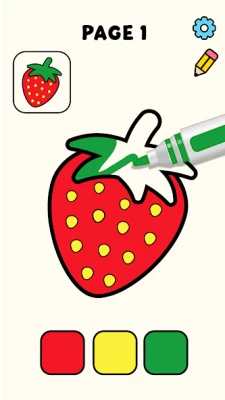
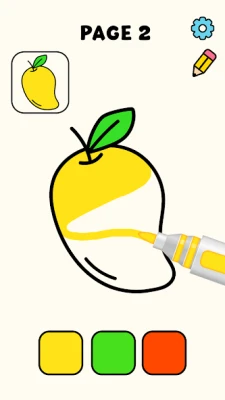
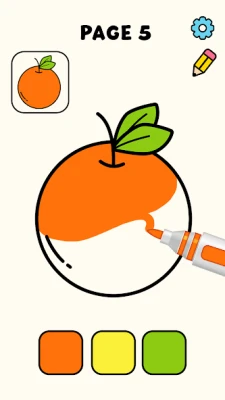
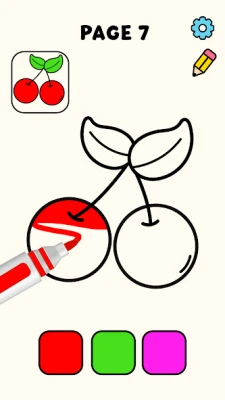
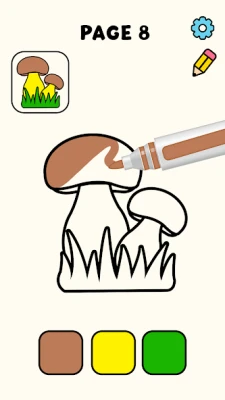
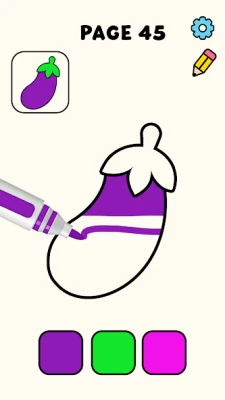
Color Paint ASMR Games is designed as a relaxing digital coloring experience combined with ASMR feedback effects. Each level presents a line-art image divided into sections that players fill with color using different brush styles or tap-to-fill mechanics.
The main goal is not competition, but relaxation and creativity. The game uses:
- Simple coloring mechanics
- Smooth brush animations
- ASMR sound effects (brush strokes, paint fills)
- Progressive difficulty patterns
As you advance, drawings become more detailed and require better precision and color control.
Key Features
🎨 Relaxing Coloring Gameplay
- Tap-to-fill or drag-to-color system
- Wide variety of drawings
- Smooth and intuitive controls
- Beginner-friendly interface
🖌️ ASMR Experience
- Soft brush sound effects
- Satisfying paint animations
- Relaxing visual feedback
- Designed for stress relief
🧩 Level Progression
- Easy starter images
- Increasingly complex patterns
- Multi-layer coloring designs
- More detailed artwork over time
🧠 Creativity Focus
- Encourages color experimentation
- No time pressure
- No failure conditions
- Free-style creative play
Beginner Walkthrough Guide
Step 1: Start with Simple Images
At the beginning:
- Choose simple shapes and objects
- Focus on large color areas
- Use tap-to-fill mode for speed
👉 Goal: Understand brush mechanics and controls
Step 2: Learn Brush Control
Different brushes may include:
- Standard fill brush
- Gradient coloring tool
- Texture brush
Tips:
- Use fill tool for large areas
- Use brush tool for edges
- Zoom in for small details
Step 3: Follow Color Sections Carefully
Each image is divided into segments:
- Start with background colors
- Move to large objects
- Finish with small details
👉 This avoids overlapping mistakes and improves visual quality
Step 4: Use ASMR Feedback for Timing
The game’s sound and visual cues help you:
- Detect full coverage areas
- Identify missed spots
- Enjoy smoother progression
Advanced Strategy Guide
1. Color Layer Strategy
Best order for coloring:
- Background first
- Main objects second
- Details last
This prevents overlapping mistakes and keeps artwork clean.
2. Precision Mode Usage
For advanced levels:
- Zoom in before coloring edges
- Use slow strokes for accuracy
- Avoid rapid tapping on small areas
3. Maximize ASMR Experience
To fully enjoy the game:
- Use headphones
- Play in a quiet environment
- Slow down your painting rhythm
This enhances relaxation and immersion.
4. Avoid Common Mistakes
❌ Coloring random sections
❌ Ignoring boundaries
❌ Using fill tool on small areas
❌ Rushing through detailed images
Level Progression System
Early Levels (1–20)
- Simple outlines
- Large color zones
- Easy tap-to-fill gameplay
Mid Levels (20–60)
- More detailed drawings
- Mixed brush usage required
- Multi-section coloring
Advanced Levels (60+)
- Complex layered artwork
- Precision coloring needed
- Smaller details and patterns
Expert Tips & Tricks
Tip 1: Always Start Big → Small
This keeps your coloring organized and clean.
Tip 2: Use Fill Tool Wisely
Great for large areas but risky for tight spaces.
Tip 3: Zoom for Accuracy
Small mistakes become visible in advanced levels.
Tip 4: Take Advantage of ASMR Flow
Slow gameplay increases relaxation and reduces errors.
Why Players Enjoy This Game
- Relaxing ASMR experience
- No stress or time pressure
- Simple controls for all ages
- Visually satisfying animations
- Creative coloring freedom
The game is designed more for relaxation than competition, making it ideal for casual mobile gaming sessions.
Rate the Game
User Reviews






Popular Games



















 Android
 iOS
iOS Windows
 Xbox
Xbox